
Neon Valley [AMOLED]
Quantic BitArcade
2.7157.00 Reviews
- Version
- 3.0.4
- Installs
- 100.00K
- Age Rating
- Everyone
Screenshots
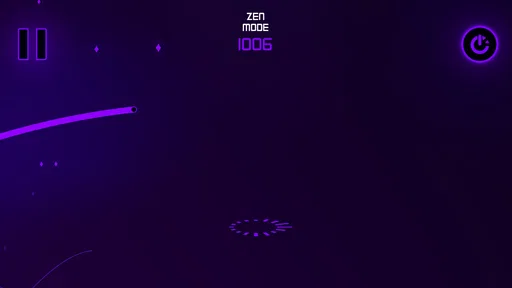
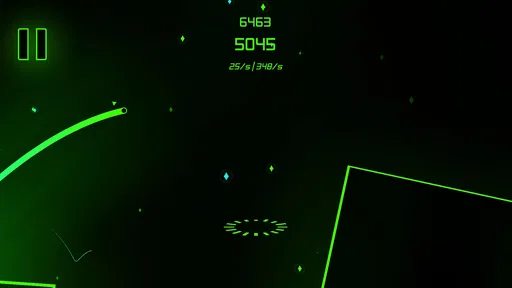
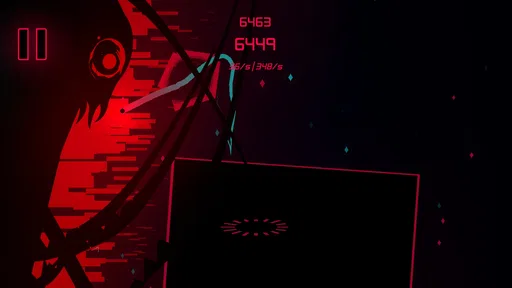
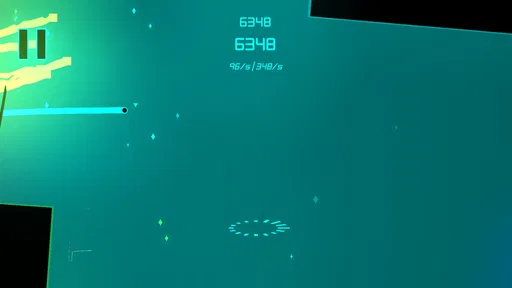
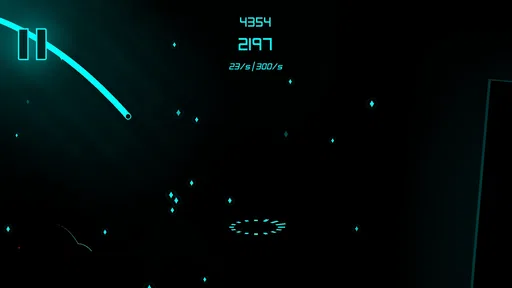
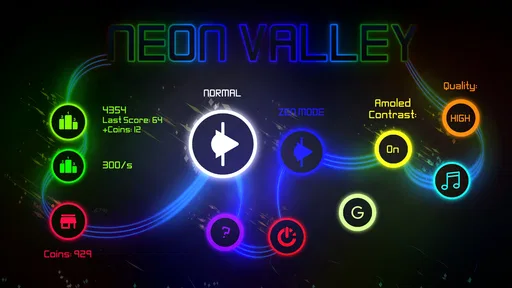
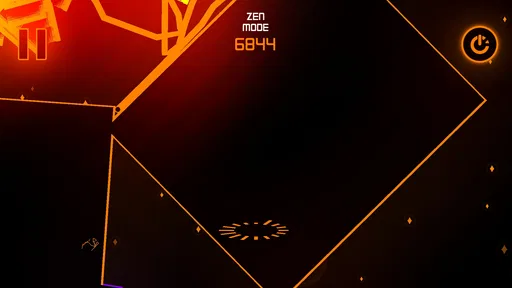
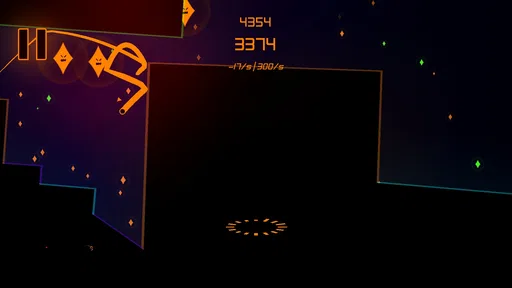
Our Review of Neon Valley [AMOLED]
 Analysis by Appyee
I went into this expecting a small arcade game, but the first thing to understand is that Neon Valley [AMOLED] is not a wallpaper app. It is a paid game from Quantic Bit, built around a simple, tense premise: you control a black hole trying to get away from the darkness closing in. That gives it a more focused feel than an arcade collection packed with unrelated modes. If you enjoy compact games that ask for quick attention rather than a long tutorial, the idea is easy to grasp; whether the play itself suits you depends on how much you enjoy repeating short, demanding challenges.
What to expect from the arcade premise
The central hook is escape, not exploration or a long story. I find that useful to know before downloading: the appeal is the pressure of trying to stay ahead, read what is happening, and make a better attempt next time. It is a very different mood from a relaxed puzzle game or a conventional platformer with a clear route through levels. The darkness gives the action a distinct identity, but the basic expectation should remain modest: this is an arcade experience built around tension and quick decisions.
That makes it most suitable for brief sessions. I can imagine opening it while waiting for a ride or taking a short break, when I want something that gets moving without asking me to remember a complicated plot. It is less suited to someone looking for a deep campaign, leisurely exploration, or a game that can run unattended in the background. The premise gives you a reason to try again, but it does not by itself promise a broad range of activities.
Getting started and finding your rhythm
The store describes the game in one sentence, so a first-time player should approach the opening as a chance to learn the feel of the action rather than assume there is a lengthy onboarding process. Start with the basic goal—escape—and pay attention to how your actions affect your survival. I recommend resisting the urge to rush immediately. In an arcade game with a pursuing threat, a few deliberate moments spent reading the screen can be more useful than frantic inputs.
A practical first-session routine
For a first attempt, play somewhere you can give the screen your attention. A quick game can still be frustrating if you are glancing away at messages or playing while distracted, especially when the challenge depends on reacting to pressure. Give yourself a clean first run, then use the next one to test a different pace. That simple comparison helps distinguish a genuine control issue from a strategy that is making the escape harder than it needs to be.
If you find yourself failing early, treat that as feedback rather than proof that you are doing everything wrong. Arcade games often reward noticing a pattern across attempts: where you hesitate, when you make a risky move, or whether you are reacting to the danger too late. I would change one thing at a time instead of making several guesses at once. That makes each retry more informative and keeps the game from feeling like random punishment.
How it compares with familiar arcade games
Many arcade titles lean on a recognizable loop: chase a score, clear a screen, or survive waves of enemies. Here, the escape premise gives the action a more directional sense of urgency. That can be a welcome change if you are tired of games that feel like endless score chasing, but it may be a drawback if you want a clear list of objectives or a variety of distinct modes. The strongest reason to choose this one is its specific black-hole-and-darkness setup, not a promise that it replaces every other arcade game on your phone.
Compared with a casual puzzle game, it asks for quicker attention and is less naturally suited to playing while doing something else. Compared with a larger action game, it is easier to approach for a short break, but it does not offer the same expectation of a sprawling progression. I would choose it when I want a compact burst of arcade tension; for a calmer commute or a longer evening session, a puzzle or story-led game may be a better fit.
Who is likely to enjoy it—and who may not
I would recommend trying it if you like a simple objective, a strong visual premise, and the satisfaction of improving through retries. It could also suit someone who wants to sample an arcade game without first learning a complicated set of systems. The Everyone content rating makes it broadly accessible from an age-rating perspective, though a player’s tolerance for pressure and repetition is still a matter of taste.
I would skip it if you dislike restarting, prefer games that explain every mechanic at length, or want a relaxed experience with little urgency. It is also not the right pick if you expect a free download: it costs five cents, and optional in-app purchases are listed between thirty-nine cents and four dollars and ninety-nine cents per item. Before spending, I would decide whether the core escape loop sounds enjoyable on its own, rather than assuming optional purchases are needed to make the game worthwhile.
Small habits that can make attempts more useful
One non-obvious way to get more from an arcade game like this is to set a tiny goal for each retry. Instead of thinking only about winning, focus on staying composed for longer, making fewer panicked moves, or spotting what caused the previous attempt to unravel. That turns a failed run into a specific lesson. It also helps if you stop after a few frustrating attempts and return later; persistence is useful, but playing annoyed can make quick decisions worse.
Another helpful habit is to check whether the controls feel comfortable before settling into a long session. If your grip makes it awkward to reach the action area, adjust how you hold the phone or use a different orientation if the game allows it. I am not assuming a particular control scheme here; the practical point is to notice discomfort early. A game built around urgency is much harder to judge if your hands are fighting the device.
For an everyday example, imagine having a few minutes before meeting a friend. A short attempt can fill that gap without requiring you to remember where you left off in a story. If you are in a noisy place or need to keep checking notifications, though, save it for later: split attention can turn a tense arcade challenge into a frustrating one. The best use case is a short window when you can focus, not a game to play one-handed while handling other tasks.
Price, ratings, and what they mean in practice
The game has an average rating of 2.8 from around 1,500 ratings, with about 135 written reviews, so I would treat the reception as a reason to be cautious rather than assume it will suit everyone. A score does not explain which parts players enjoy or dislike, and arcade games are especially dependent on personal tolerance for challenge and repetition. The practical approach is to judge the premise honestly: if chasing an escape loop sounds fun, the low upfront cost may feel reasonable; if it already sounds repetitive, a low price does not change that basic fit.
It has passed 100,000 installs, was released on November 30, 2020, and the current version is 2.6.4. Those details help place it as an established game rather than a brand-new experiment, but they are not a substitute for deciding whether its style matches yours. It supports Android 6.0 and later, which makes it available to a range of older devices, though compatibility alone cannot guarantee that every phone will feel equally comfortable or responsive during play.
What to keep in mind before installing
Because this is a paid arcade game with optional purchases, I would check the purchase screen carefully and avoid tapping through unfamiliar prompts when all you want is to start playing. The listed purchase range does not tell you what each item does, so there is no reason to assume you need one. A sensible first-session test is to see whether the basic play is enjoyable before considering any additional spending. That keeps the decision grounded in your own experience instead of in the game’s visual pitch.
Also consider the kind of phone session you want. A game that depends on quick reactions is a poor companion for a crowded moment when you cannot look at the display steadily. If you often play with sound off, you can still decide whether the visuals and controls make sense to you, but do not assume audio cues are essential or unimportant without trying the game. Give the opening a fair, focused attempt and notice what information the screen itself communicates.
My take after weighing the fit
Quantic Bit’s arcade game has a clear identity and an easy-to-understand objective, which are real strengths for a short-session title. I like that the concept points toward immediate tension rather than asking for a long commitment before anything happens. At the same time, the narrow premise means it will not be a universal recommendation. Players who need varied modes, elaborate progression, or a forgiving pace should look elsewhere; players who enjoy trying to improve at a focused challenge have a more convincing reason to give it a chance.
My advice is to go in with one question: do you enjoy the feeling of escaping pressure through repeated attempts? If yes, a focused first session should tell you quickly whether the game’s rhythm clicks. If no, the distinctive theme may not be enough to overcome the basic loop. That is a more useful test than expecting the game to deliver a large arcade library or an extended adventure.
First impressions matter
As soon as I installed the game, I knew I was in for something different. The app greets you with a stunning array of neon-themed wallpapers that practically jump off the screen. If you’re someone who loves colors that scream "look at me," you’re gonna love this.
The interface is sleek and intuitive, with everything accessible within a few taps. It doesn’t overwhelm you with endless menus. Instead, it’s all about getting you to the good stuff quickly. I appreciated how the developers kept it user-friendly without sacrificing any of the cool features.
Diving into the Features
Alright, let’s talk features. The app boasts a vast collection of AMOLED wallpapers that are not only eye-catching but also battery-friendly. That’s right—these wallpapers are designed to take advantage of AMOLED screens by using less power, which is a win-win in my book.
What’s really cool is the customization options. You can tweak the brightness, contrast, and even the saturation of the wallpapers to suit your mood or taste. Feeling bold? Crank up that saturation. Want something more chill? Tone it down a bit. It’s like having a mini photo editor for your wallpapers.
Performance on Point
I’m always a bit wary about apps that promise too much but deliver too little in terms of performance. Thankfully, the game is smooth as butter. I didn’t experience any lag or crashes, which is a testament to how well it’s been optimized. Even when I was switching between wallpapers, everything was seamless.
The app doesn’t hog your phone’s resources either. I was pleasantly surprised by how little impact it had on my device’s performance. It’s nice to have an app that looks good and plays nice with your phone.
Why You'll Love It
If you’re still on the fence, let me give you a nudge. The app is perfect for anyone who loves personalizing their device. It’s not just about flashing some pretty colors on your screen; it’s about creating a vibe that resonates with you. Plus, the fact that it’s designed to save battery life is just the cherry on top.
Also, let’s not forget the regular updates. The developers are constantly adding new wallpapers and features, so you’re always getting something fresh. It’s clear they’re committed to keeping the app exciting and relevant.
Wrapping It Up
In the end, the game is more than just an app—it’s an experience. Whether you’re looking to spice up your home screen or just want something cool to look at, this app delivers in spades. It’s vibrant, efficient, and a whole lotta fun.
So, if you’re ready to dive into a world of neon wonders, give it a try. Trust me, your screen will thank you.
Verdict
Strengths of Neon Valley [AMOLED]
- Stunning AMOLED visuals enhance battery life.
- Minimalistic design ensures easy navigation.
- Customizable themes for personalized experience.
- Smooth performance with low resource usage.
- Regular updates with new features and fixes.
Limitations of Neon Valley [AMOLED]
- Limited free features without purchase.
- Occasional ads can disrupt user experience.
- Requires newer devices for optimal performance.
- Lacks integration with third-party apps.
- Limited offline functionality without data.
Other Releases by Quantic Bit
View All
Upping Floors – Stack Blocks
Arcade4.1
Similar Picks in This Category
View All
Subway Surfers
SYBO Games4.6

Stickman Party 234 MiniGames
PlayMax Game Studio4.6

Subway Princess Runner
Ivy4.4

Temple Run
Imangi Studios4.2

Zombie Tsunami
Mobigame SAS4.6

Stack Ball - Crash Platforms
CASUAL AZUR GAMES4.5
Frequently Asked Questions
What is Neon Valley [AMOLED] and how does it enhance my device's display?
Neon Valley [AMOLED] is an app designed to bring vibrant, neon-themed wallpapers specifically optimized for AMOLED screens. By utilizing deep blacks and vivid colors, it enhances the visual appeal of your device while also conserving battery life on AMOLED displays. Its dynamic designs make your screen pop with minimal power usage.
Is Neon Valley [AMOLED] compatible with all devices?
Neon Valley [AMOLED] is optimized for devices with AMOLED screens, such as many flagship Android smartphones. While it can also be used on other devices, the battery-saving benefits are most effective on AMOLED displays due to their capability to turn off individual pixels for black colors.
Does Neon Valley [AMOLED] offer customization options for wallpapers?
Yes, the app offers a range of customization options to tailor the wallpapers to your preferences. Users can adjust color schemes, animation speeds, and more, allowing for a personalized experience that suits individual styles and enhances device aesthetics effectively.
Are there any in-app purchases or subscriptions required in Neon Valley [AMOLED]?
Neon Valley [AMOLED] offers both free and premium features. While the app is free to download and includes a selection of wallpapers, additional premium designs and customization features may require in-app purchases or a subscription. This model ensures continued updates and enhancements.
How does Neon Valley [AMOLED] affect my device's performance and battery life?
The app is designed to be lightweight and efficient, ensuring minimal impact on device performance. On AMOLED devices, it can actually help conserve battery life by using wallpapers with deep blacks. Its animations are optimized to run smoothly without draining resources excessively.
Play our best games!


